Artificial intelligence has moved out of research labs and into everyday life with remarkable speed. A marketer can produce campaign ideas over breakfast. A small-business owner can summarize a lengthy document before the coffee cools. A designer can turn a rough concept into a visual. A programmer can ask an AI assistant to explain unfamiliar code. Someone with no technical background can analyze information simply by asking questions in ordinary language.
That raises an obvious question for beginners.
What are the 5 types of AI tools?
There is no single official classification system that divides every artificial intelligence application into exactly five categories. Modern platforms frequently overlap. One AI assistant may write an article, analyze a spreadsheet, generate an image, search the web, and help with computer code from the same interface.
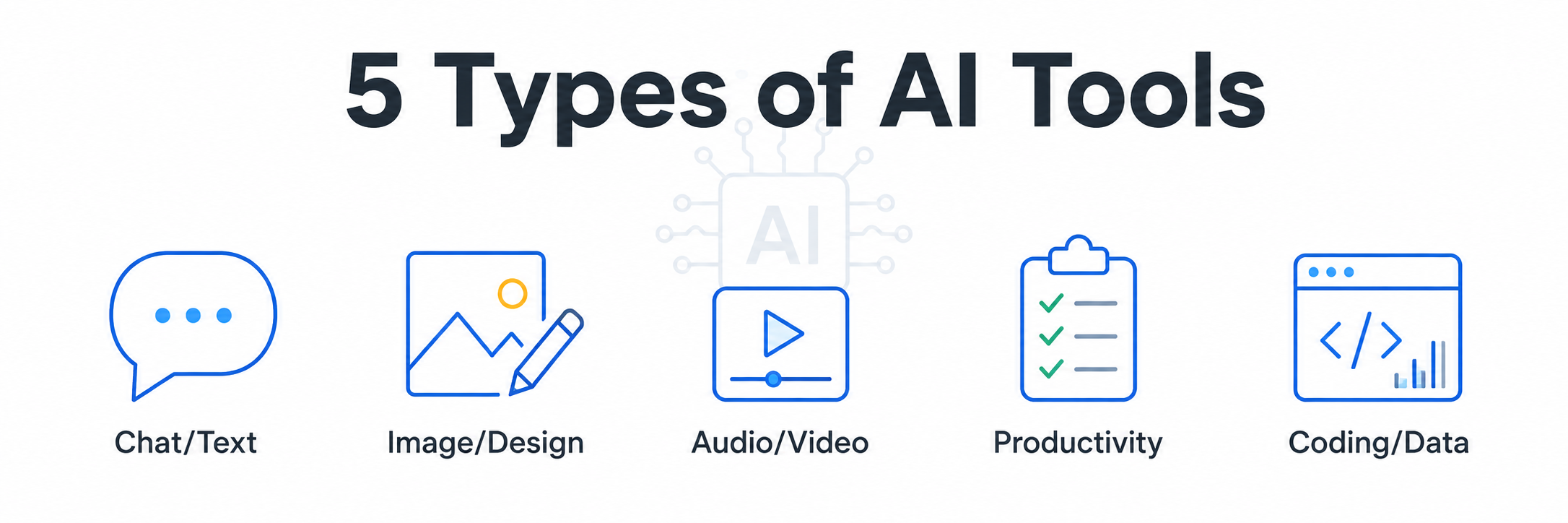
Still, most consumer and business AI tools can be understood through five useful categories.
- Conversational and text-generation AI tools
- AI image and creative design tools
- AI audio and video generation tools
- AI productivity, research, and automation tools
- AI coding and data-analysis tools
Understanding these five types can make the AI landscape far less confusing. More importantly, it helps you choose technology based on the work you actually need done rather than chasing every shiny new AI application that appears online.
And there are plenty of shiny objects. The AI industry occasionally resembles a hardware store where every shelf insists its hammer will also make breakfast.
1. Conversational and Text-Generation AI Tools
Conversational AI is probably the category most beginners encounter first.
These systems allow users to communicate with artificial intelligence using natural language. Instead of learning programming commands, you simply explain what you need.
Popular tasks include writing, brainstorming, summarizing, translating, researching ideas, answering questions, planning projects, rewriting content, explaining complicated topics, and generating outlines.
ChatGPT is one prominent example. OpenAI describes ChatGPT as an AI assistant capable of tasks including answering questions, explaining concepts, drafting and rewriting content, summarizing information, solving problems, translating languages, analyzing files and images, and more.
The important development here is not merely automatic writing. It is conversational interaction.
You might begin with this request.
“Give me ten ideas for a beginner gardening blog.”
Then continue with something more specific.
“Take idea number four and create an outline.”
Then you could ask.
“Rewrite the introduction for readers over 50 who have never grown vegetables.”
The system retains the conversational context, making the experience much closer to working with an assistant than operating traditional software.
Who benefits from conversational AI?
Writers can use it for outlines and brainstorming.
Marketers can generate campaign concepts, customer personas, headlines, product descriptions, and content plans.
Students can request explanations and study questions.
Small-business owners can prepare drafts, organize ideas, and summarize information.
Researchers can use advanced AI systems to help locate and synthesize information, although important facts should still be checked against reliable sources.
The greatest strength of conversational AI is flexibility.
Its greatest weakness is equally important. AI-generated information can sometimes be incomplete, misleading, or simply incorrect. Human judgment remains essential.
Think of AI as an extraordinarily fast assistant who occasionally says something with the confidence of a professor and the accuracy of a man guessing directions at a gas station.
Verification still matters.
2. AI Image and Creative Design Tools
The second major category includes AI systems that generate or modify visual content.
Instead of manually drawing every element, users can describe an idea in words.
For example, someone could request a cinematic image of a futuristic city in heavy rain, a watercolor illustration of a country cottage, a product advertising concept, an infographic layout, or a fantasy creature.
AI image systems can also assist with editing existing visuals.
Depending on the platform, users may be able to remove objects, change backgrounds, alter lighting, produce variations, extend images, generate graphics, or transform rough concepts into polished visual directions.
Adobe has incorporated generative AI into its creative ecosystem through Firefly and other AI-powered features. Adobe describes these systems as tools designed to support creative workflows across its applications while emphasizing responsible development and creator rights.
Visual AI has particularly significant implications for marketing.
A small company that previously needed several days to test advertising concepts can potentially prototype numerous directions far more quickly.
That does not mean professional photographers, designers, illustrators, or art directors suddenly become unnecessary.
Strong creative work still requires taste.
AI can produce pixels. It cannot automatically determine whether those pixels strengthen a brand, confuse an audience, violate visual guidelines, or look like something everyone else generated yesterday.
That distinction will become increasingly valuable as AI-generated imagery becomes commonplace.
Common uses of AI visual tools
Businesses use them for advertising concepts, social media graphics, product mockups, storyboards, presentation visuals, thumbnails, and campaign experimentation.
Creators use them for character concepts, fantasy environments, illustrations, video reference frames, and visual storytelling.
Designers can use AI for early-stage ideation before refining the strongest concepts manually.
For beginners, this category is especially appealing because it removes much of the technical barrier between imagination and visualization.
A person who cannot draw a convincing stick figure can suddenly communicate a surprisingly detailed visual concept.
That is a significant change.
3. AI Audio and Video Generation Tools
AI-generated video and audio represent another fast-growing category.
These tools can create or manipulate moving images, voices, music, sound effects, narration, and other media.
Video-generation systems increasingly allow creators to describe scenes with written prompts or use reference images to control characters, environments, camera positions, and visual continuity.
A creator might describe a miniature construction crew assembling a futuristic vehicle, for example, and generate a short cinematic sequence from the description.
Audio AI has developed alongside video technology.
AI systems can generate speech, clean recordings, transcribe conversations, translate spoken content, synthesize voices where appropriate permissions exist, generate sound effects, and assist with music creation.
These capabilities are reshaping content production.
A solo creator can now perform tasks that once required several separate production specialists.
A marketing team can create storyboards before committing money to a commercial.
Educators can produce narrated explanations.
Small companies can experiment with promotional videos without immediately financing a conventional video production.
The limitations remain significant.
AI video can still struggle with continuity, realistic physics, hands, fine details, character consistency, text inside scenes, and complicated multi-step actions. Results can vary widely depending on the model and prompt.
That means prompt design matters.
Reference images can matter.
Shot planning matters.
And old-fashioned patience remains alive and well.
Artificial intelligence apparently decided humans should retain at least one traditional skill.
4. AI Productivity, Research, and Automation Tools
Some of the most valuable AI tools are considerably less glamorous than image or video generators.
They simply help people get work done.
Productivity-focused AI can summarize meetings, organize information, search documents, draft emails, analyze reports, identify action items, create presentations, assist with spreadsheets, and coordinate repetitive business processes.
Microsoft, for example, describes Microsoft 365 Copilot as an AI productivity system integrated across familiar workplace applications. Its capabilities include assisting with documents in Word, data and formulas in Excel, presentations in PowerPoint, email in Outlook, and meeting information in Teams.
This category may ultimately produce some of the greatest economic impact because so much office work consists of small repetitive tasks.
Consider how many minutes disappear each day while employees search emails, summarize meetings, format documents, locate information, prepare routine reports, copy information between applications, or reconstruct conversations from scattered notes.
One task may consume only ten minutes.
Multiply that by several tasks, five days a week, dozens of employees, and an entire year.
Suddenly those innocent ten-minute tasks have eaten a remarkable amount of time.
Modern AI productivity systems increasingly function as assistants embedded inside normal workflows.
Research tools offer another important application.
Instead of manually opening dozens of pages and trying to organize information independently, advanced AI research systems can locate material, compare sources, identify patterns, and help users develop structured reports.
Users still need to inspect citations and verify consequential claims.
The advantage comes from speed and organization rather than blind trust.
Automation extends the idea further.
An AI system may eventually handle a sequence of tasks after receiving a goal, such as collecting information, sorting it, generating a report, and preparing the next action for human approval.
This agent-oriented approach is becoming an important direction in AI development.
5. AI Coding and Data-Analysis Tools
The fifth category includes tools designed to help people work with software, numbers, and structured information.
AI coding assistants can explain code, suggest code as someone types, troubleshoot bugs, generate tests, help with command-line tasks, answer programming questions, and increasingly perform multi-step development work.
GitHub describes GitHub Copilot as an AI coding assistant that provides code suggestions, coding chat, command-line assistance, code explanations, and other support throughout software development. Current Copilot capabilities also include more agent-oriented workflows capable of planning and making changes for developers to review.
For experienced developers, this can reduce time spent on repetitive programming work.
For beginners, it can function partly as an interactive tutor.
Suppose someone sees this Python code and has no idea what it does.
They can ask an AI assistant to explain the code line by line in plain English.
They might then request a simpler version.
Then they could ask how to modify it.
This conversational approach dramatically reduces the friction involved in learning technical skills.
Data analysis is another important part of this category.
Some AI systems can analyze spreadsheets or structured files, calculate statistics, locate patterns, generate charts, identify unusual results, summarize trends, and help users interpret data without requiring them to be expert analysts.
ChatGPT, for example, includes data-analysis capabilities that can work with spreadsheets, CSV files, and other structured data.
That could have major consequences for small organizations.
Historically, valuable business data often sat untouched because nobody had enough time or technical skill to investigate it properly.
AI lowers that barrier.
A shop owner could analyze sales patterns.
A marketer could compare campaign performance.
A website publisher could examine traffic data.
An entrepreneur could investigate expenses.
The important caveat remains accuracy. Calculations, assumptions, source data, and conclusions should still be reviewed when important decisions depend on them.
The Five Types of AI Tools at a Glance
The categories can be summarized simply.
Conversational and text AI helps people communicate, write, summarize, brainstorm, explain, and research.
Image and design AI helps generate, modify, and conceptualize visual material.
Video and audio AI supports moving images, narration, music, sound, transcription, and multimedia production.
Productivity and automation AI helps organize work, manage information, summarize meetings, prepare documents, and automate repetitive processes.
Coding and data AI assists with programming, troubleshooting, calculations, spreadsheets, technical analysis, and data interpretation.
The categories overlap constantly.
That overlap is actually one of the biggest trends in artificial intelligence.
Instead of maintaining separate applications for every AI task, major platforms increasingly combine multiple capabilities in one environment.
A conversational assistant may also analyze an image.
A design application may generate video.
A coding assistant may operate as an autonomous software agent.
A productivity platform may incorporate writing, research, data analysis, and automation.
The borders between categories are becoming increasingly porous.
Which Type of AI Tool Should a Beginner Use First?
Beginners should resist the temptation to sign up for fifteen AI services during their first afternoon.
Start with the problem.
Ask yourself what repetitive or difficult activity consumes the most time.
If writing and research dominate your work, begin with conversational AI.
If your work depends heavily on photography, graphics, advertisements, or visual storytelling, investigate image tools.
If you produce social media or YouTube content, AI video and audio tools may deserve attention.
If your days disappear into documents, spreadsheets, email, and meetings, productivity AI could provide the quickest practical benefit.
If programming or analytics matter to your work, explore AI coding and data-analysis systems.
Then run a small experiment.
Choose one recurring task.
Complete it normally.
Complete it again with AI assistance.
Compare the time, quality, difficulty, and amount of editing required.
That simple test tells you considerably more than an hour of promotional demonstrations.
What Are You Missing by Ignoring AI Tools?
This is where the conversation becomes uncomfortable for anyone hoping AI is merely another passing technology trend.
Waiting has a cost.
The first cost is time.
If someone discovers a reliable method for completing a two-hour task in forty-five minutes, that difference compounds.
The second cost is experience.
People who begin using AI today are not simply accumulating generated documents or images. They are learning which prompts work, which models fail, when automation helps, when human intervention is needed, and how to judge output.
That knowledge compounds too.
The third cost is experimentation.
Someone learning AI now can test dozens of ideas while another person remains stuck preparing the first version manually.
That does not guarantee superior work.
It creates more opportunities to discover superior work.
Businesses face another risk.
Competitors adopting AI responsibly may respond to customers faster, produce more content, analyze information sooner, test campaigns more frequently, and operate with smaller administrative burdens.
The appropriate response is not panic.
It is participation.
You do not need every AI tool.
You need enough familiarity to recognize where artificial intelligence genuinely improves your work.
Why Taking Action Now Matters
AI technology changes rapidly, which makes postponing experimentation strangely tempting.
Someone might reason that the tools will be better next year, so perhaps learning them now is pointless.
They probably will be better next year.
That is precisely why learning the underlying workflow now matters.
Specific buttons will change.
Model names will change.
Features will change.
The core skills are more durable.
Learning how to describe a goal clearly, provide useful context, evaluate AI output, verify information, iterate on prompts, protect sensitive information, and combine human judgment with machine assistance will remain valuable even as individual products evolve.
Begin small.
Pick one AI category.
Choose one useful task.
Use the tool repeatedly for a week.
Record what saves time and what creates more work.
Then expand.
You do not need to become an AI engineer.
You need to become difficult to surprise.
Final Verdict
So, what are the five types of AI tools?
For most beginners, the clearest practical answer is conversational and text AI, image and design AI, video and audio AI, productivity and automation AI, and coding and data-analysis AI.
Each category solves different problems, although modern platforms increasingly combine capabilities from several groups.
The real value of AI does not come from collecting subscriptions.
It comes from identifying a problem, selecting the right tool, giving it good instructions, judging the result carefully, and keeping the human decision-maker firmly involved.
Artificial intelligence is already changing how people create, analyze, communicate, and work.
The people who benefit most may not be the ones who know the most technical terminology.
They may simply be the people who start experimenting early enough to understand what the technology can actually do.
The future rarely arrives with a trumpet.
Sometimes it appears quietly in a text box asking, “What can I help with?”
Frequently Asked Questions
What are the 5 main types of AI tools?
A practical five-category framework includes conversational and text-generation tools, AI image and design tools, AI video and audio tools, AI productivity and automation tools, and AI coding and data-analysis tools.
What is the easiest AI tool for beginners?
Conversational AI assistants are often the easiest starting point because users can interact with them using normal language instead of programming commands. They can assist with writing, brainstorming, research, summaries, explanations, planning, and many everyday tasks.
Are AI tools only useful for businesses?
No. Students, teachers, creators, freelancers, researchers, programmers, hobbyists, job seekers, and everyday consumers can all use AI tools. The most appropriate tool depends on the task rather than the size of the organization.
Can AI tools replace human workers?
AI can automate or accelerate portions of many jobs, particularly repetitive and information-heavy tasks. Complete jobs, however, usually involve judgment, accountability, relationships, domain knowledge, creativity, physical activity, and decision-making that extend beyond a single automated task. The effects will differ considerably among occupations.
Can AI-generated information be wrong?
Yes. AI systems can produce incorrect or misleading information. Important factual claims should be checked against reliable sources, particularly when dealing with health, finance, legal matters, safety, business decisions, or other consequential subjects.
What is generative AI?
Generative AI refers to systems capable of producing new outputs such as text, images, audio, video, computer code, and other content based on instructions and learned patterns.
What is an AI agent?
An AI agent is generally a system designed to pursue a goal through multiple steps, sometimes using software tools or external information along the way. Agent capabilities are increasingly appearing in productivity and software-development platforms.
Do I need technical knowledge to use AI?
Not necessarily. Many modern AI systems are specifically designed for natural-language interaction. Technical knowledge becomes more useful for specialized coding, automation, data, integration, and enterprise applications.
How should a beginner start using AI?
Choose one repetitive task you already understand well. Test an AI tool on that task, compare its output with your normal process, check the results carefully, and improve your instructions over several attempts.
Is it worth learning AI tools now?
For many professionals, creators, and business owners, yes. Even basic proficiency can help with research, content production, analysis, organization, experimentation, and repetitive tasks. More importantly, regular use develops the judgment needed to distinguish genuinely useful AI applications from impressive demonstrations that provide little practical value.
Leave a Reply
You must be logged in to post a comment.