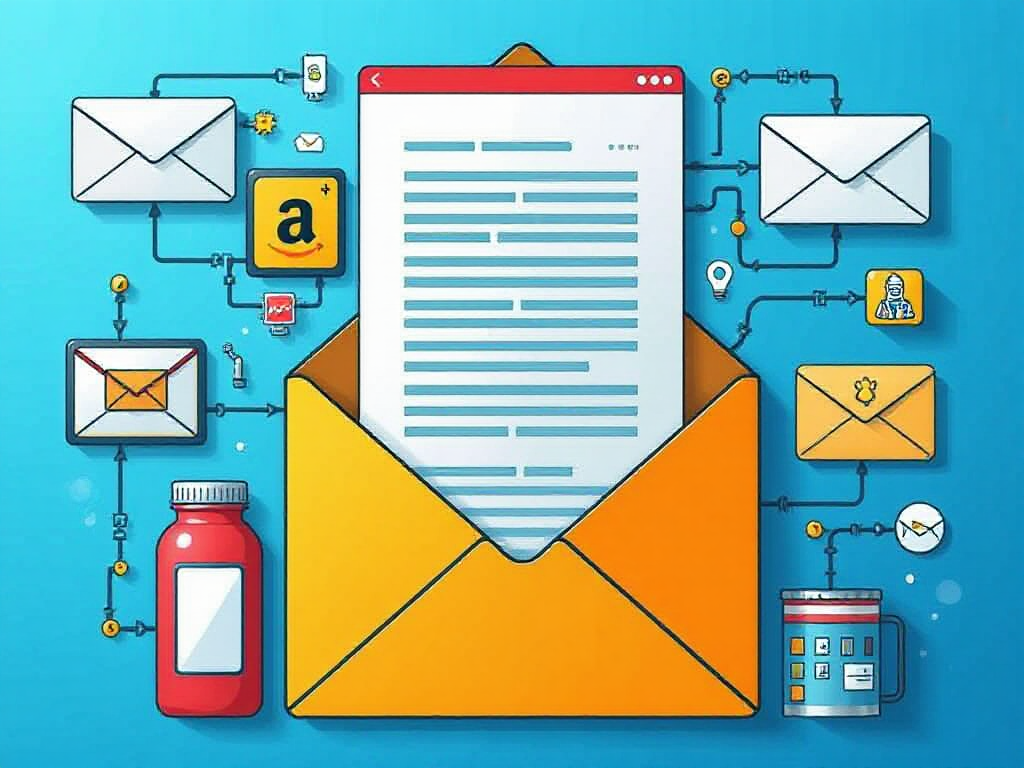
Imagine waking up to discover that your business has been communicating with customers all night while you were asleep.
A new subscriber received a welcome email. Someone who abandoned a shopping cart received a reminder. A long-time customer received a personalized recommendation. Another prospect, who downloaded your free guide three days ago, received the next message in a carefully planned sequence.
Nobody sat at a desk sending those emails individually.
That is the basic idea behind email marketing automation.
For beginners, the term can sound more complicated than it really is. In practice, email marketing automation is a system that allows businesses, marketers, creators, and entrepreneurs to automatically send relevant emails when specific actions, dates, or conditions occur.
And once you understand how it works, you begin to see why automated email has become such an important part of modern digital marketing.
What Is Email Marketing Automation?
Email marketing automation is the use of software to automatically send targeted emails based on predefined triggers, customer behavior, or specific conditions.
Instead of manually sending every message, you create a workflow in advance.
For example, imagine someone visits your website and subscribes to your newsletter.
You could create an automated sequence like this.
Immediately
Send a welcome email.
Day 2
Send a helpful beginner’s guide.
Day 4
Introduce a relevant product or service.
Day 7
Send a customer story or case study.
Day 10
Make a special offer.
The system handles the timing automatically.
This means your email marketing can continue operating even when you are working on something else.
That is one of the biggest attractions of marketing automation.
How Does Email Marketing Automation Work?
Most automated email campaigns are built around four basic components.
1. A Trigger
A trigger starts the automation.
Common triggers include
- Someone subscribes to an email list
- A customer makes a purchase
- Someone downloads a lead magnet
- A visitor abandons a shopping cart
- A subscriber clicks a particular link
- A customer’s birthday arrives
- A subscription is about to expire
- Someone becomes inactive
- A customer reaches a particular stage in a sales funnel
Think of the trigger as the starting gun.
Once the specified event occurs, the automation begins.
2. A Condition
Some sophisticated workflows also use conditions.
For example, you might tell your email marketing platform to determine whether a subscriber clicked a particular link.
If they clicked it, they could receive one sequence.
If they didn’t, they could receive another.
This creates a more personalized customer journey without requiring you to manually monitor every subscriber.
3. An Email
The workflow then sends a predetermined message.
That message could be educational, promotional, transactional, or relationship-focused.
A software company might send a tutorial.
An online retailer might send a product recommendation.
A content creator might send a collection of popular articles.
A local business might send an appointment reminder.
The content depends on the customer’s relationship with the business.
4. Timing
Timing determines when the next action happens.
You could send one email immediately, wait two days, send another, wait five days, and then send another.
Some workflows are extremely simple.
Others can contain numerous branches based on customer behavior.
The important point is that you establish the rules beforehand.
Why Is Email Marketing Automation Important?
The internet has created an enormous amount of competition for attention.
People receive promotional messages constantly. Social media feeds move rapidly. Search results change. Advertising costs can fluctuate.
Email provides something valuable.
A direct communication channel with people who have voluntarily joined your audience.
Automation makes that channel considerably more useful because you can communicate with subscribers according to where they are in their customer journey.
Consider a person who downloads a beginner’s guide from your website.
Sending them the exact same message as someone who has already purchased your product doesn’t make much sense.
Automation allows you to separate those audiences.
The beginner can receive educational material.
The customer can receive product support, recommendations, or loyalty offers.
That relevance can make email communication feel considerably more useful.
Email Marketing Automation vs. Regular Email Marketing
There is an important distinction between traditional email marketing and automated email marketing.
Traditional email marketing often involves creating a campaign and sending it to a group of subscribers at a particular time.
For example, you might write a newsletter on Monday and send it to your list on Tuesday.
Automation works differently.
The email can be triggered by an individual subscriber’s actions.
Two people could join your list three weeks apart, yet each person could receive the same automated welcome sequence beginning immediately after their own subscription.
That is where automation becomes particularly powerful.
The system works according to the customer’s timeline rather than your calendar.
Common Types of Email Marketing Automation
There are several automated email campaigns beginners should understand.
Welcome Email Series
This is one of the easiest places to start.
Someone subscribes, and your system automatically sends a welcome message.
You might explain what subscribers can expect, introduce your brand, provide a useful resource, and eventually present a relevant offer.
A good welcome sequence can establish expectations before the subscriber becomes accustomed to ignoring your emails.
Abandoned Cart Emails
Online stores can use automation to remind shoppers about products they placed in their carts but didn’t purchase.
For example, someone adds a $75 product to their cart and leaves.
An automated email might remind them about the product several hours later.
A second message could provide additional information or answer common objections.
Lead Nurturing Campaigns
Not every potential customer is ready to purchase immediately.
Lead nurturing automation allows businesses to continue providing useful information over time.
Imagine someone downloads a guide about improving their website.
Instead of immediately pushing a sales pitch, the business could send educational content explaining common website problems, solutions, examples, and eventually its own service.
The objective is to develop the relationship gradually.
Post-Purchase Emails
Automation shouldn’t stop after someone buys.
A post-purchase sequence might include
- Order confirmation
- Shipping information
- Product instructions
- Setup guidance
- Customer support information
- Review requests
- Related product recommendations
This can turn a single transaction into an ongoing customer relationship.
Re-Engagement Campaigns
Subscribers sometimes disappear.
They stop opening emails.
A re-engagement campaign can automatically identify inactive subscribers and send a message designed to bring them back.
For example, the email might ask whether they still want to receive updates.
If there is no response, the system can eventually remove or suppress inactive contacts depending on the platform’s capabilities and the business’s email strategy.
What Are the Benefits of Email Marketing Automation?
The benefits go well beyond saving time.
It Saves Manual Work
Imagine having 5,000 subscribers.
Manually sending individual messages based on each subscriber’s behavior would be absurd.
Automation allows software to handle repetitive communication.
That gives marketers more time to focus on strategy, content, product development, and customer experience.
It Improves Timing
Timing can matter enormously in marketing.
A welcome email sent immediately after signup is fundamentally different from the same email arriving three weeks later.
Automation helps deliver messages at predetermined moments.
It Supports Personalization
Modern email automation can use information such as names, purchases, interests, browsing behavior, signup sources, and engagement patterns.
That allows marketers to create different experiences for different audiences.
Personalization still needs restraint, however.
Nobody wants an email that feels like a surveillance report written by a robot with too much free time.
Useful personalization should make the message more relevant rather than creepy.
It Can Support Sales
Automation can help move prospects through a sales funnel.
Educational emails can answer questions.
Case studies can demonstrate results.
Product information can address objections.
Special offers can encourage action.
The automation itself doesn’t guarantee sales, but it can create a structured communication process.
It Works Around the Clock
This may be one of the most attractive features.
Your audience doesn’t necessarily interact with your business between 9 a.m. and 5 p.m.
Someone might subscribe at midnight.
Someone else might purchase on Sunday morning.
An automated system can respond according to your predefined rules.
What Are You Missing Out On Without Email Marketing Automation?
This is where the subject becomes especially interesting.
If you rely entirely on manually written and manually scheduled emails, you may be leaving valuable opportunities on the table.
A subscriber could join your list and receive one newsletter.
Then nothing happens for two weeks.
A customer could buy a product but never receive useful follow-up information.
A prospect could show strong interest in a particular topic but continue receiving generic messages.
A shopper could abandon a cart and disappear forever.
Automation provides a way to build systems around these moments.
You may also be missing valuable behavioral information.
Modern email platforms can often show metrics such as opens, clicks, conversions, unsubscribes, and other engagement signals. These measurements can help marketers determine which messages are attracting attention and which ones are falling flat.
Without that feedback loop, marketing decisions can become guesswork.
And guesswork is an expensive business strategy.
Is Email Marketing Automation Only for Large Businesses?
Absolutely not.
Small businesses can benefit from automation because limited time is often one of their biggest constraints.
A solo entrepreneur could create a five-email welcome sequence once and allow it to operate for months.
A blogger could automatically deliver a downloadable guide to new subscribers.
An online course creator could send lessons according to a student’s enrollment date.
An affiliate marketer could build educational sequences around specific topics.
A local service provider could automate appointment reminders and follow-up requests.
You don’t need a giant marketing department.
You need a sensible workflow.
What Should Beginners Automate First?
If you’re new to email automation, don’t build a monster.
Start small.
A simple welcome sequence is usually an excellent starting point.
For example
Email 1
Welcome the subscriber and explain what they can expect.
Email 2
Provide genuinely useful information.
Email 3
Address a common problem or question.
Email 4
Introduce a relevant solution.
Email 5
Present a clear next step.
Once that works, you can expand.
You might eventually add abandoned-cart sequences, customer onboarding, segmentation, re-engagement campaigns, product recommendations, and other workflows.
The best automation systems tend to evolve.
They aren’t born as enormous flowcharts that require a PhD in marketing spaghetti.
Mistakes Beginners Should Avoid
Automation can save enormous amounts of time, but poorly designed automation can also annoy people at remarkable speed.
One common mistake is sending too many emails.
Another is making every message promotional.
Subscribers need a reason to keep opening your emails.
Useful education, entertaining stories, practical advice, product information, and occasional offers can create a healthier balance.
Another mistake is ignoring mobile users.
Many people read email on smartphones, so messages should be easy to scan and interact with on smaller screens.
You should also test your workflows.
A broken automation can create embarrassing situations.
Imagine sending a customer an email saying “Welcome to our community” three days after they already purchased your most expensive product.
That is the kind of automated enthusiasm nobody asked for.
How Do You Measure Email Automation Success?
Several metrics can help evaluate an automated campaign.
Open rate can indicate whether subject lines and sender information are attracting attention, although privacy protections and technical factors mean open rates should be interpreted carefully.
Click-through rate measures engagement with links.
Conversion rate examines how many recipients complete a desired action.
Unsubscribe rate can reveal whether content or frequency is causing audience fatigue.
Revenue per recipient can be particularly useful for ecommerce and commercial campaigns.
The most important measurement depends on the campaign’s purpose.
A welcome email doesn’t necessarily have the same objective as an abandoned-cart sequence.
Define the goal first.
Then select the metrics that actually tell you whether the workflow is accomplishing it.
Is Email Marketing Automation Worth Learning?
For anyone serious about digital marketing, understanding email automation is increasingly useful.
The technology is only one part of the equation.
The real skill lies in understanding customer intent.
What does someone want after downloading your guide?
What question does a new customer have after purchasing?
Why might someone abandon a shopping cart?
What information does a prospect need before making a decision?
Those questions create the foundation for effective automation.
Software simply executes the strategy.
Take Action Now
If your business has an email list but you’re sending every message manually, this is a good time to examine where automation could remove repetitive work.
Start with one workflow.
Create one useful sequence.
Test it.
Watch the results.
Improve it.
Then build from there.
Waiting until your list becomes enormous can make the transition more complicated. Starting with a small, manageable automation gives you room to learn without creating a tangled system.
The opportunity is sitting inside your existing audience.
Every subscriber represents a potential conversation.
Every customer interaction can provide useful context.
Every repetitive email represents a task that may be suitable for automation.
The sooner you begin experimenting with thoughtful workflows, the sooner you can build an email system that works consistently rather than requiring you to push the same buttons every week.
Final Thoughts
So, what is email marketing automation?
At its core, it is a system for sending relevant emails automatically when specific events, behaviors, or conditions occur.
But the technology is only half the story.
The real value comes from designing communication that arrives at the right moment with a useful reason for being there.
A welcome message should welcome.
A tutorial should teach.
A post-purchase email should help.
A promotional message should offer something genuinely relevant.
When those pieces work together, email automation can become one of the most practical tools in a digital marketer’s toolbox.
You don’t need hundreds of complicated workflows.
You don’t need to automate every sentence your company ever writes.
Start with one problem, one audience, and one useful sequence.
Then let the data tell you where to go next.
FAQ
What is email marketing automation in simple terms?
Email marketing automation is software-driven email communication that sends messages automatically when a subscriber performs a particular action or reaches a predefined point in a customer journey.
How does email marketing automation work?
An automation generally begins with a trigger, such as subscribing to a list or purchasing a product. The system then follows predetermined rules to send emails, wait for specified periods, evaluate conditions, or move the subscriber into another workflow.
What is an example of email marketing automation?
A welcome sequence is a simple example. When someone subscribes, they could automatically receive a welcome email immediately, educational content several days later, and a relevant product offer afterward.
Is email marketing automation good for beginners?
Yes. Beginners can start with a single automated workflow, such as a welcome series, and gradually add more advanced campaigns as they gain experience.
Does email automation increase sales?
Automation can support sales by delivering timely information, nurturing prospects, following up with customers, and presenting relevant offers. Results depend on factors such as audience quality, content, offer, timing, deliverability, and overall marketing strategy.
How many automated emails should a beginner create?
There is no universal number. Starting with three to five useful emails in a welcome sequence can provide a manageable testing ground. The quality and purpose of the messages matter more than simply increasing the number.
What is the difference between email marketing and email marketing automation?
Email marketing can involve manually scheduled campaigns sent to an audience. Email marketing automation uses predefined triggers and workflows to send messages based on individual subscriber actions, timing, or other conditions.
Leave a Reply
You must be logged in to post a comment.